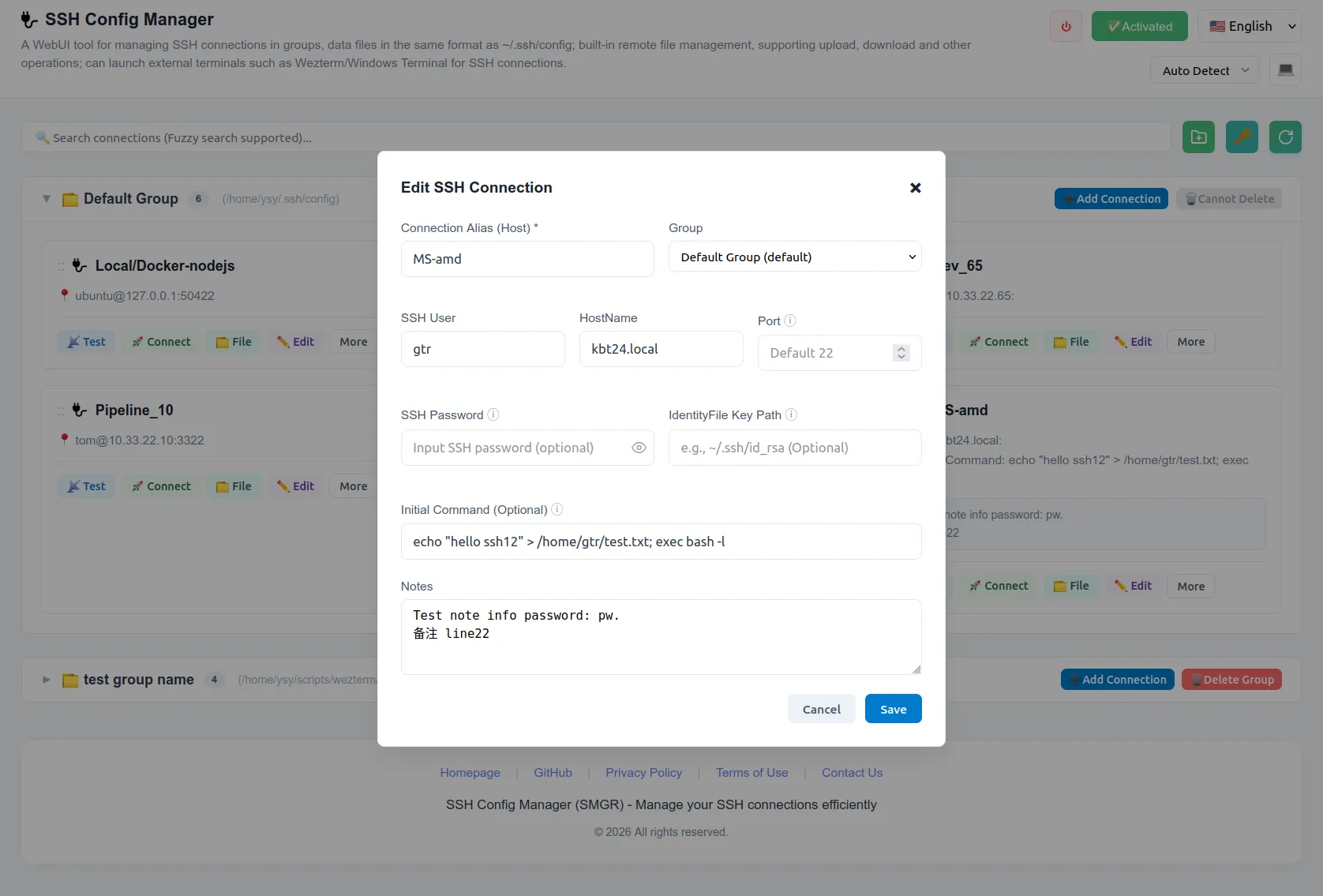
SSH Config Edit
Supported fields
The GUI supports editing common SSH host fields, such as HostName, User, Port, and IdentityFile.
For fields not currently supported by the GUI, you can manually edit the configuration file. Manually added fields are fully effective and available during connection. Common examples of manually added fields include:
ProxyJump: For connecting through a bastion host.LocalForward/RemoteForward: For port forwarding.ServerAliveInterval: To keep the connection alive.
Supported Operations
After adding an SSH host, you can perform various operations directly from the interface:
- Test Connection: Verify network reachability and authentication.
- Connect to External Terminal: Launch the connection in your preferred local terminal emulator.
- File Manager: Open the built-in SFTP file manager.
- SSH Edit: Modify the host configuration.
- Move / Copy / Delete: Organize or remove host entries.