SSH Config Manager (SMGR): A tool for group-based visual management of SSH connection information, capable of integrating with modern terminal emulators and system built-in terminals, eliminating the need to memorize connection host names/addresses/shortcuts.
✨ Key Features
Group-based visual SSH management, no need to memorize SSH names/addresses/shortcuts in the terminal.
- Add/edit SSH connection information and create groups through webui, click to connect and establish SSH connections in local terminal emulator.
~/.ssh/configis the default group, other group configuration files follow the exact same format, enabling easy migration and reuse in other tools, such as manual use withsshcommand:ssh -F ~/my_ssh_config/test_group.config my_host.
Cross-platform & Supports multiple terminal emulators without changing your terminal usage habits.
Terminal Emulator Windows Linux macOS Wezterm ✅ ✅ ❔ Alacritty ✅¹ ✅¹ ❔ Kitty ➖ ✅¹ ❔ Windows Terminal ✅ ➖ ➖ Konsole ✅¹ ✅² ❔ GNOME Terminal ➖ ✅¹ ➖ iTerm2 ➖ ➖ ❔ - ✅: Tested and fully supports designed features. Automatically establishes SSH in a new tab if window exists, or creates a new window.
- ✅¹: Tested, can successfully launch terminal, but only supports creating connections in new windows.
- ✅²: Tested, defaults to creating connections in new windows only. (Konsole: Enable "Run all Konsole windows in a single process" in Settings to use tabs).
- ❔: Not tested.
- ➖: Not supported on this platform.
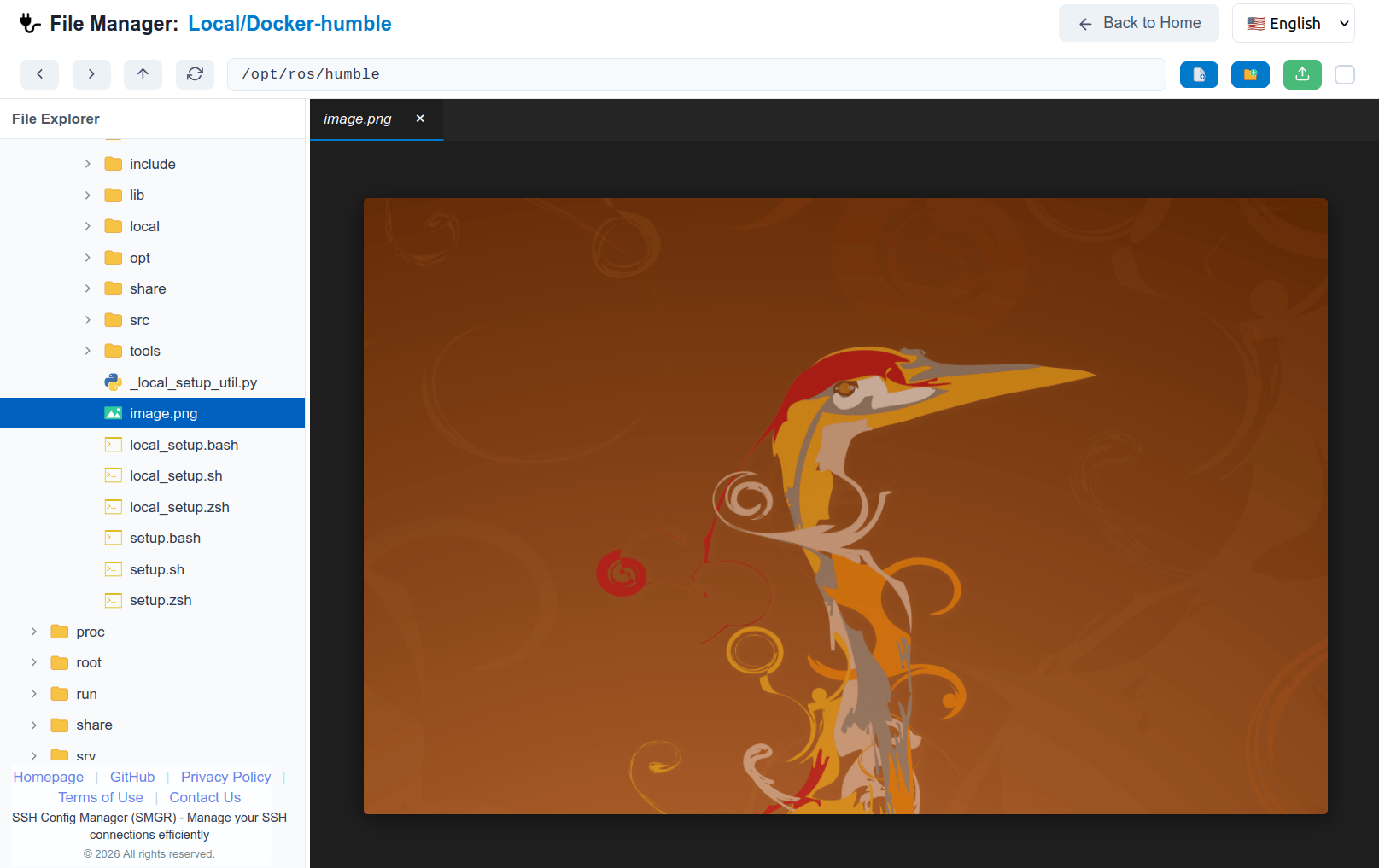
Built-in remote file manager for seamless file operations over SSH.
- Eliminates the need for external SFTP/SCP clients by allowing you to upload, download, rename, and delete files and folders directly through the WebUI.
- Features a built-in code editor to directly edit remote files, supporting syntax highlighting, multi-line editing, and more.
- Includes a built-in image viewer to preview images on remote servers without downloading them.
Security & Privacy First: Supports fully offline operation, no worries about data leaks or trackers.
- All SSH configurations and file transfers are conducted directly between your local machine and your servers, without any third-party cloud relay.
- The WebUI runs entirely in your local environment, eliminating any form of data collection, telemetry, or ad tracking.
High performance: Compared to Electron applications, the backend service of this software has lower memory usage, comparable to C++ software.
- Win11 (24GB RAM): 39.1MB
- Ubuntu 20.04 (32GB RAM): 84.2MB
📸 Screenshots
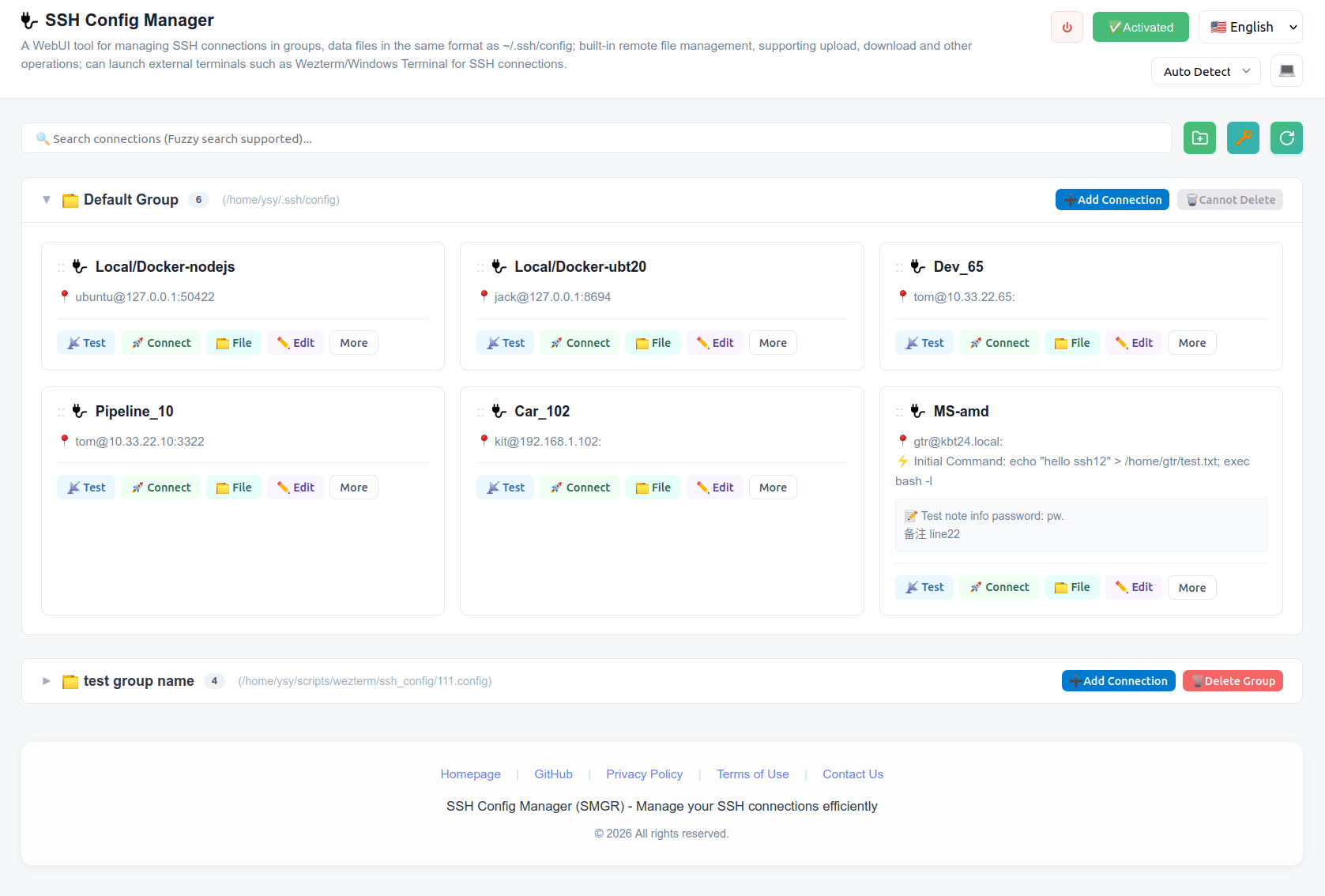
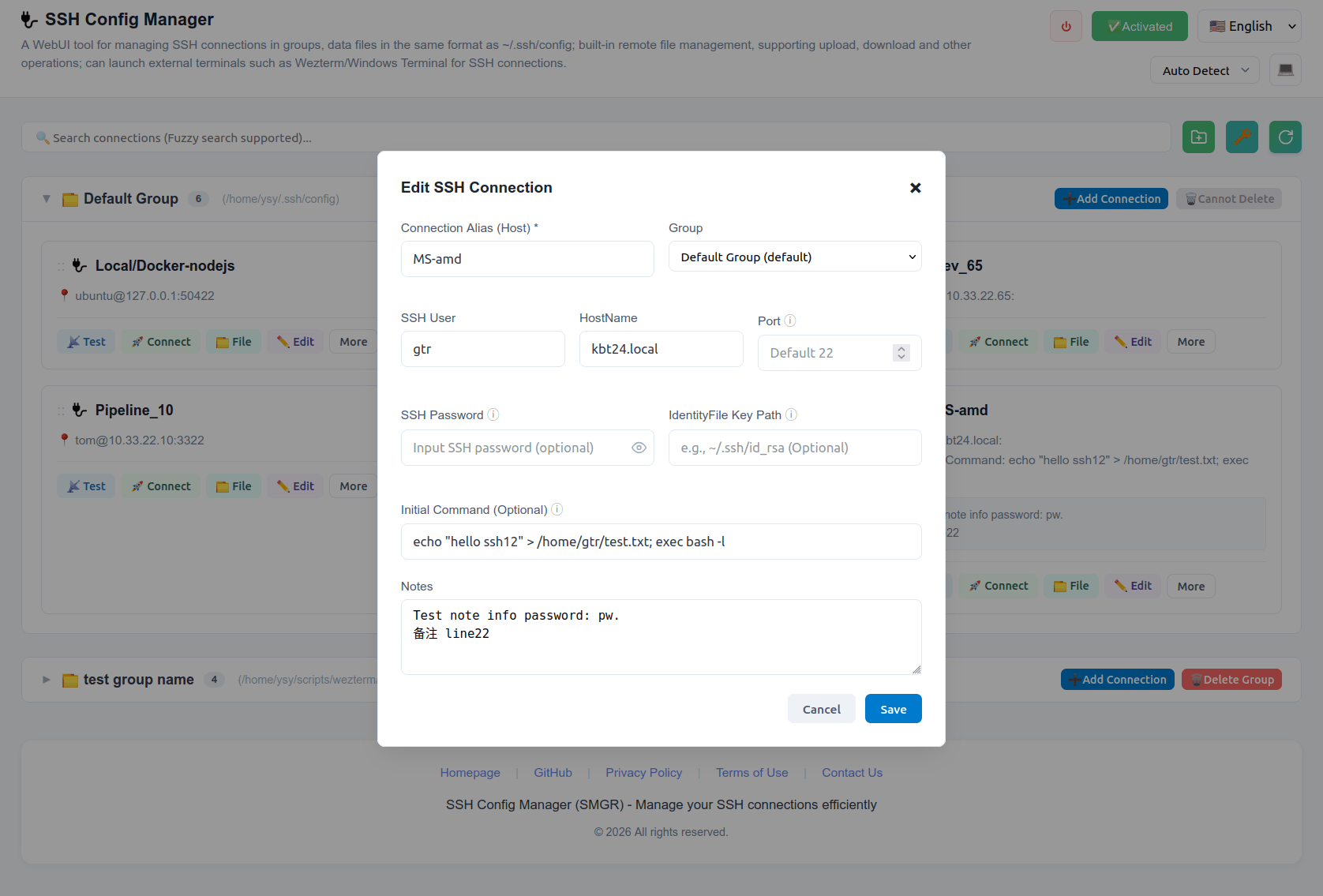
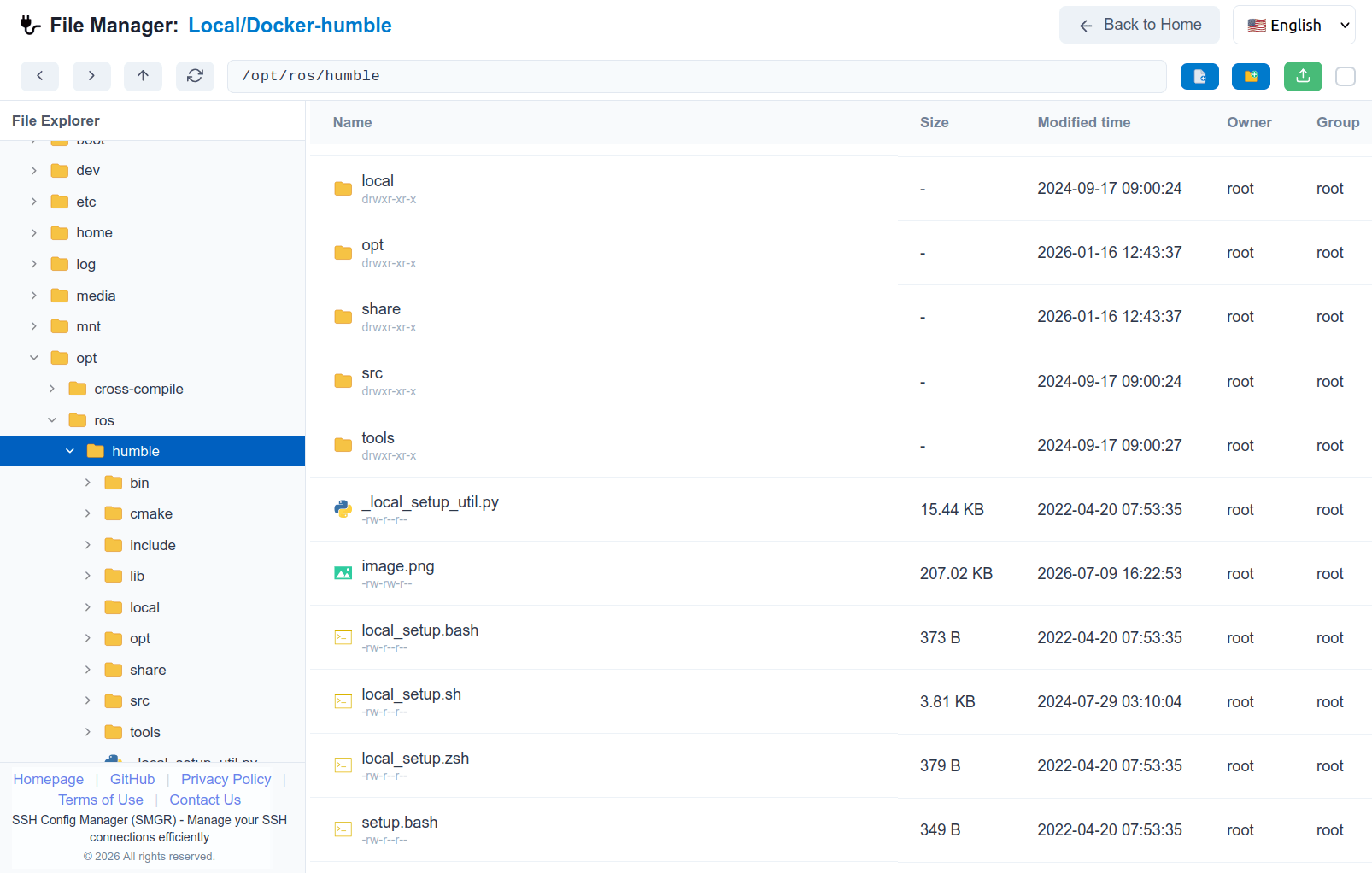
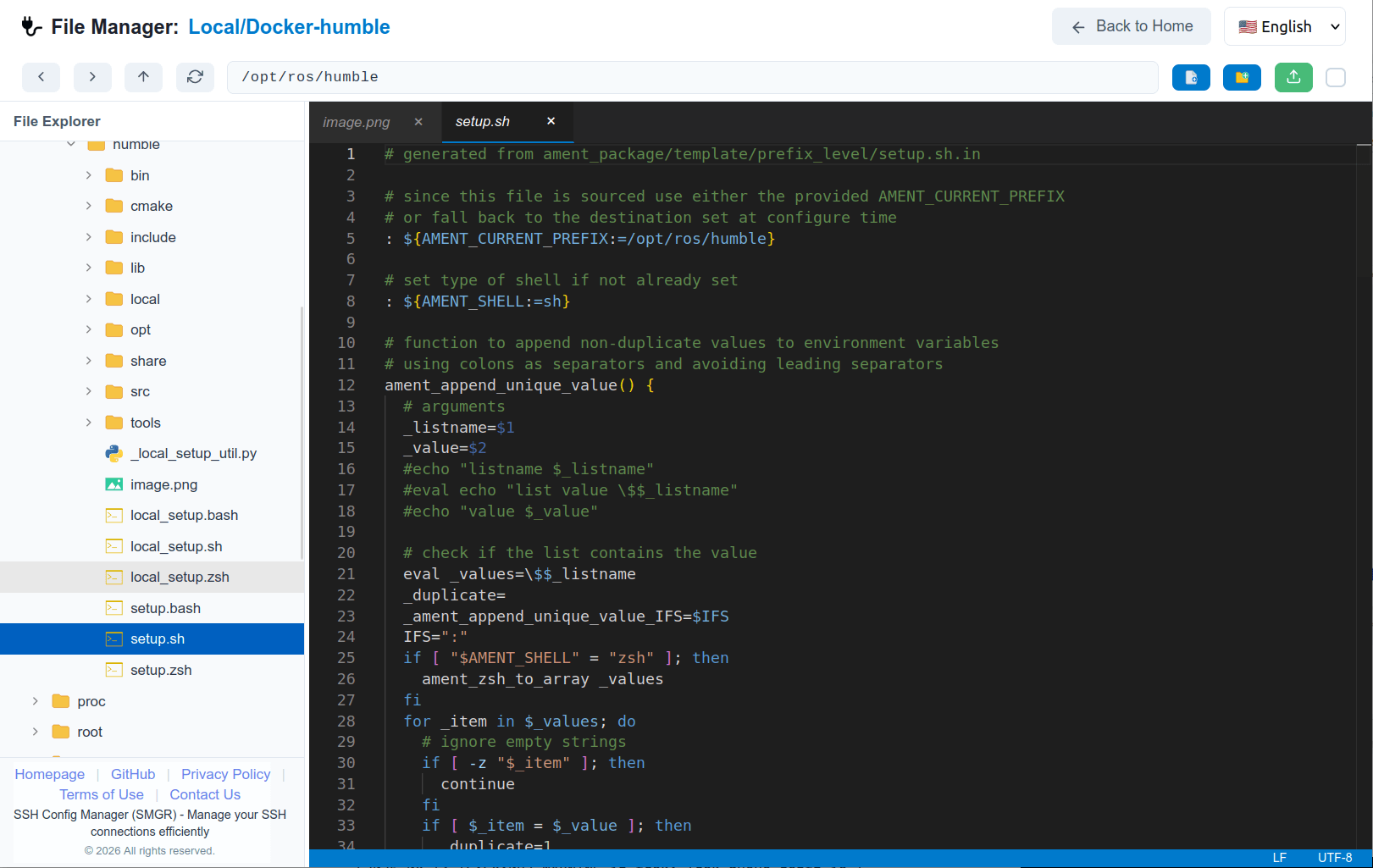
⬇️ Download & Installation
Download: GitHub Releases
SSH Config Manager is a cross-platform application supporting the following platforms:
- x86_64: Windows, Linux, macOS.
- arm64: macOS.
Where:
- Windows minimum supported version is Windows 10 (Windows 7 can be tried).
- Linux minimum supported version requires glibc 2.31, such as Ubuntu 20.04, Debian 11.
- macOS minimum supported version is macOS 11 (Big Sur).
Extract and run:
ssh-config-managerAfter running, it will automatically open the browser WebUI: http://localhost:18323. If port 18323 is unavailable, it will automatically select another port.
The port used can be found at
~/.config/ssh-manager/server.port. If you accidentally close the WebUI interface, you can find the current port in this file.
💎 Pricing & Purchase
- 30-day free trial. After trial, pay to continue or export data in universal format.
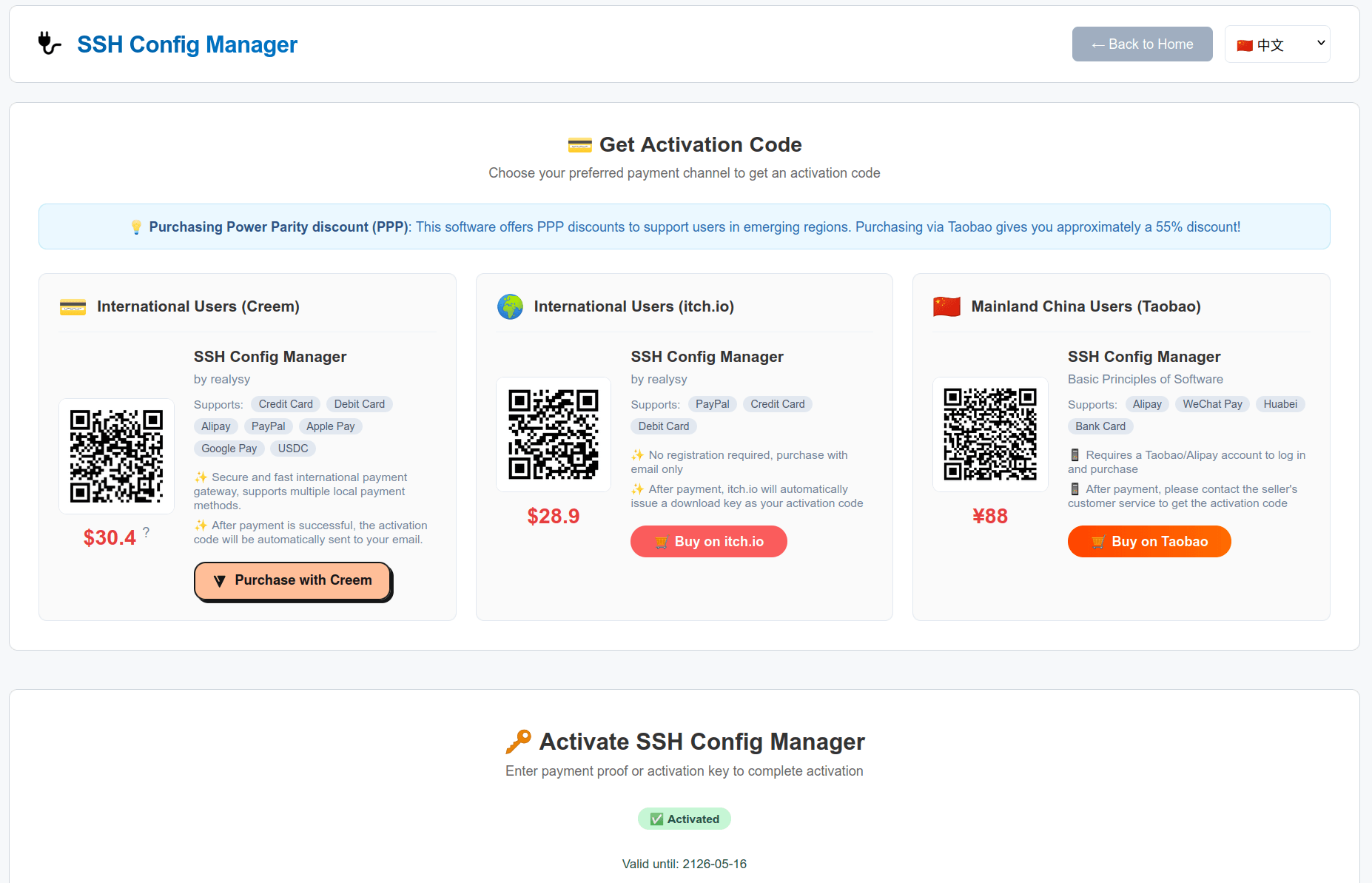
- Limited-time promo: One-time $28.9 for a 10-year activation code with continuous updates.
- Purchasing Power Parity discounts available (¥88, ~55% off via Taobao for mainland China users).
- Supports online and offline activation. Codes are bound to devices (email support for unbinding).
Purchase Options:
- Option 1: Main window -> Activation button in the top right corner -> Scan the QR code to purchase.
- Option 2: Directly visit the purchasing channels below and choose one that supports your payment method.

SSH Config Manager

SSH Config Manager

SSH Config Manager
❓ Frequently Asked Questions (FAQs)
Is my SSH configuration data safe using this software? Will it be uploaded to the cloud?
Yes, your data is extremely safe. First, the software features a built-in daily backup mechanism to automatically protect your configurations. Second, SSH Config Manager runs entirely locally and supports fully offline operation. All configurations and file transfers occur directly between your device and the target servers. No user data is ever uploaded to the cloud or routed through third-party relays, ensuring absolute privacy.
Will I lose my SSH configuration data if I don't pay after the trial ends?
Our licensing model consists of a free trial and a paid full version. If you choose not to renew after the trial or license expires, the software will no longer be usable. However, your data is completely yours. All SSH group configurations are saved locally in the exact same format as the standard `~/.ssh/config`. You will never lose your data, and you can easily open, edit, or seamlessly migrate your configurations to any other SSH tool at any time.
What if I change my computer after the activation code is bound to my device?
The activation code is bound to a single device by default. If you change your computer or reinstall the OS, you can use the 'Unbind' feature within the software to generate an unbind request, email it to us, and easily reactivate it on your new device.
What if my favorite terminal emulator is not in the supported list?
We currently deeply integrate with modern and system built-in terminals like Wezterm, Alacritty, Kitty, Windows Terminal, GNOME Terminal, and Konsole. At present, the software does not support custom terminal configurations. If your favorite terminal is not on the list, please feel free to submit a feature request via GitHub Issues, and we will evaluate adding support in future updates.
Does it support X11 forwarding? How to set up X11? The ForwardX11 option cannot be set in the WebUI SSH editor, so how can I display the GUI of remote applications after connecting?
Yes, it is supported. Although the WebUI SSH editor does not currently offer a ForwardX11 option, you can manually add X11 forwarding settings to the group file where the SSH configuration is located (e.g., ~/.ssh/config). For example:
ForwardX11 yes
ForwardX11Trusted yesWhy is the software closed-source and distributed as a portable executable?
To protect our core intellectual property and licensing mechanism, the software is closed-source. It is distributed as a standalone, portable executable to eliminate the need for installing complex runtime environments (like Python) or dependencies. This "extract-and-run" approach ensures extremely low memory usage and seamless cross-platform compatibility right out of the box.