v1.2.0 Released: Remote File Editor & Image Viewer & Visual Effects Redesign
✨ What’s New in v1.2.0
We are excited to announce the release of SSH Config Manager v1.2.0! This update brings significant improvements to the remote file management experience, along with a comprehensive visual redesign across the entire application.
📁 Revamped File Manager with Directory Tree
The file manager has been completely restructured. Previously limited to a flat file list, it now features a dual-pane layout with a directory tree on the left and a detailed file list on the right. This classic IDE-style navigation makes browsing deep directory structures intuitive and efficient.
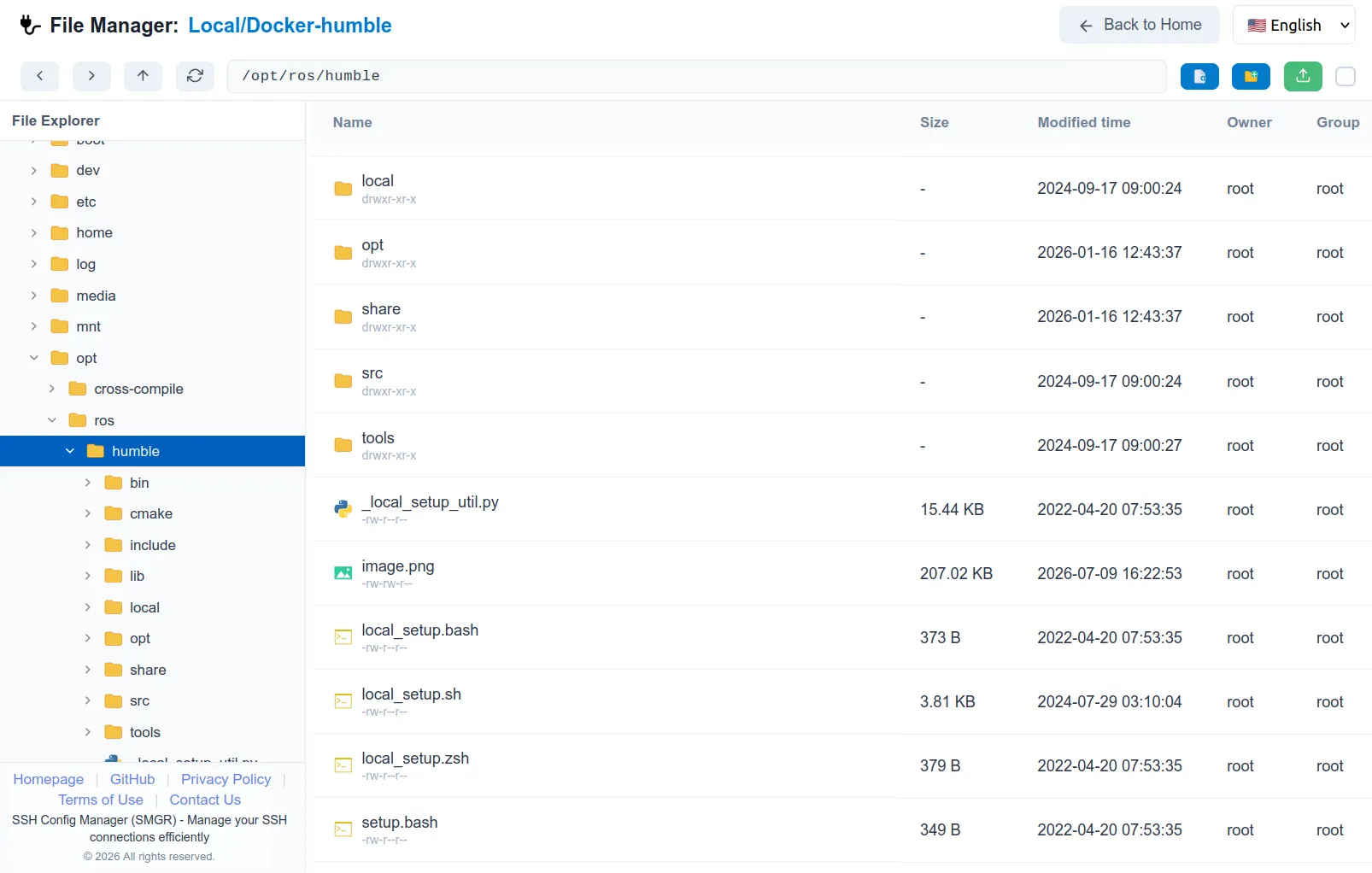
🎨 Professional Visual Redesign
We have overhauled the visual style of the entire application. The previous card-based design on the main page, login page, and file manager has been replaced with a cleaner, more professional aesthetic. The new unified flat design reduces visual clutter and provides a more focused, elegant user experience that aligns with modern developer tools.
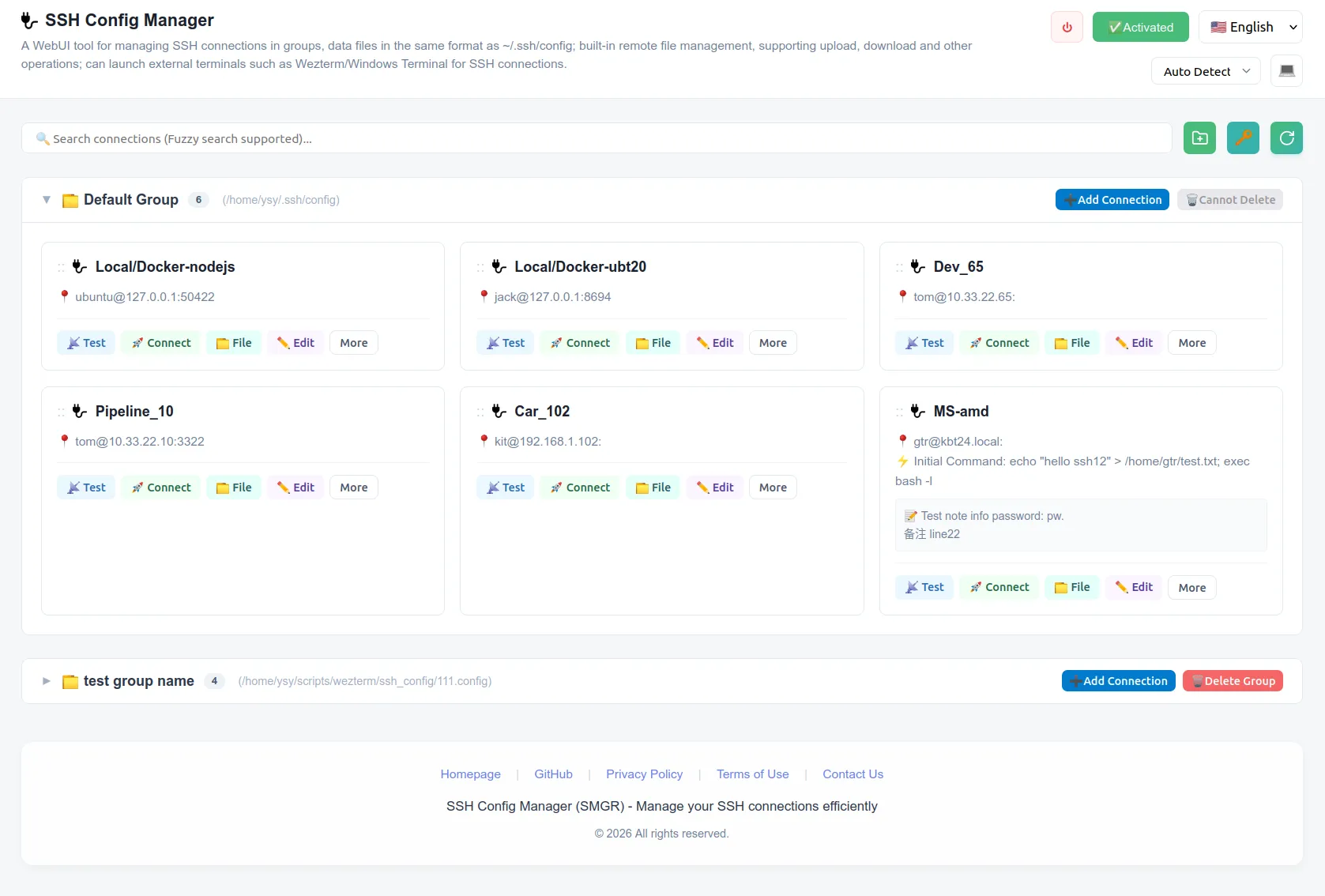
✏️ Built-in Remote Code Editor
You can now edit remote files directly within the browser without downloading them first. The built-in code editor supports:
- Syntax highlighting for dozens of programming languages
- Multi-line editing and encoding switching (UTF-8/GBK)
- Line ending format detection and conversion (LF/CRLF)
- Conflict detection when files are modified externally
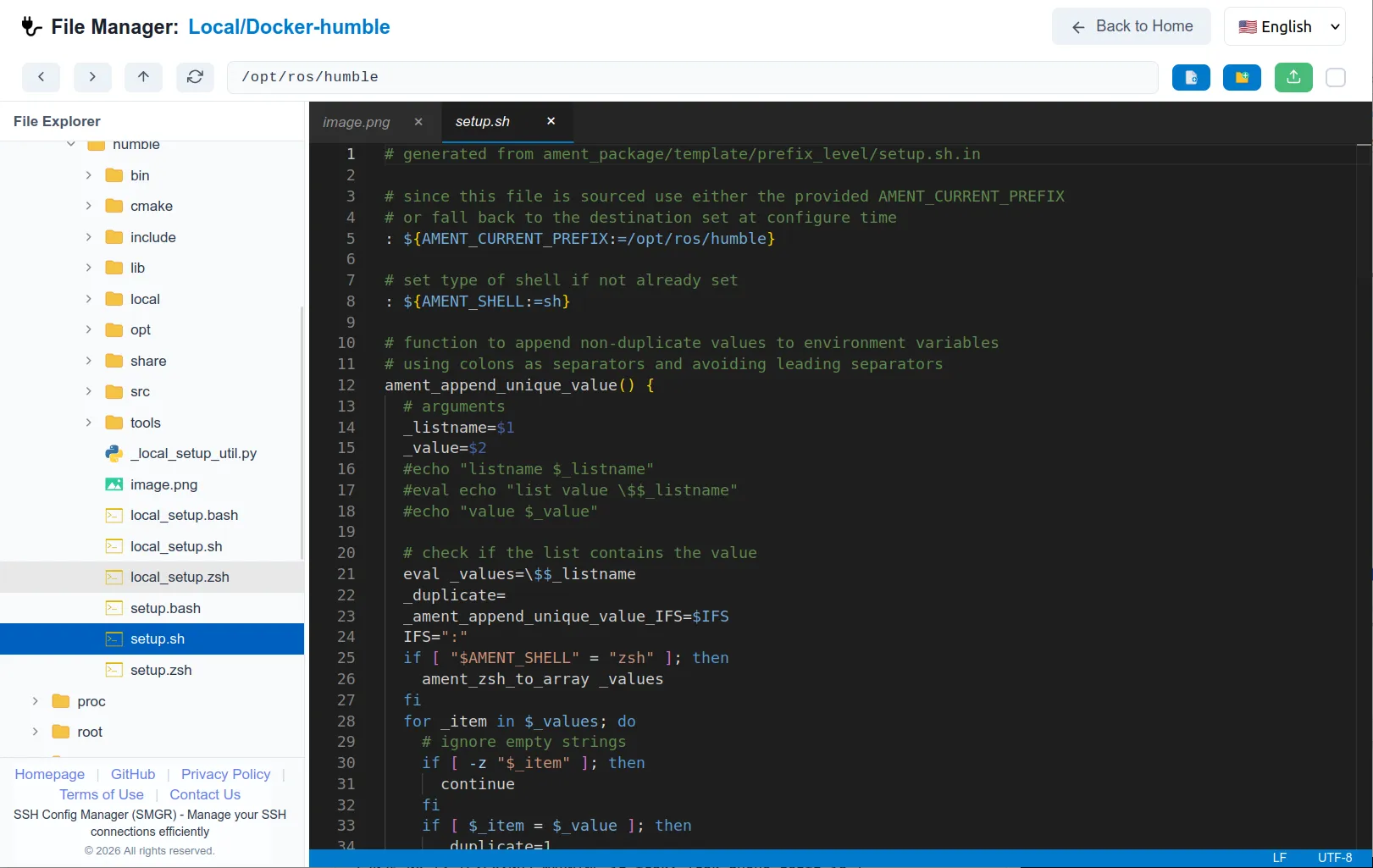
🖼️ Built-in Image Viewer
Preview images stored on remote servers instantly without downloading. The integrated image viewer supports common formats (PNG, JPG, GIF, WebP, BMP, etc.) and includes zoom and pan capabilities for detailed inspection.
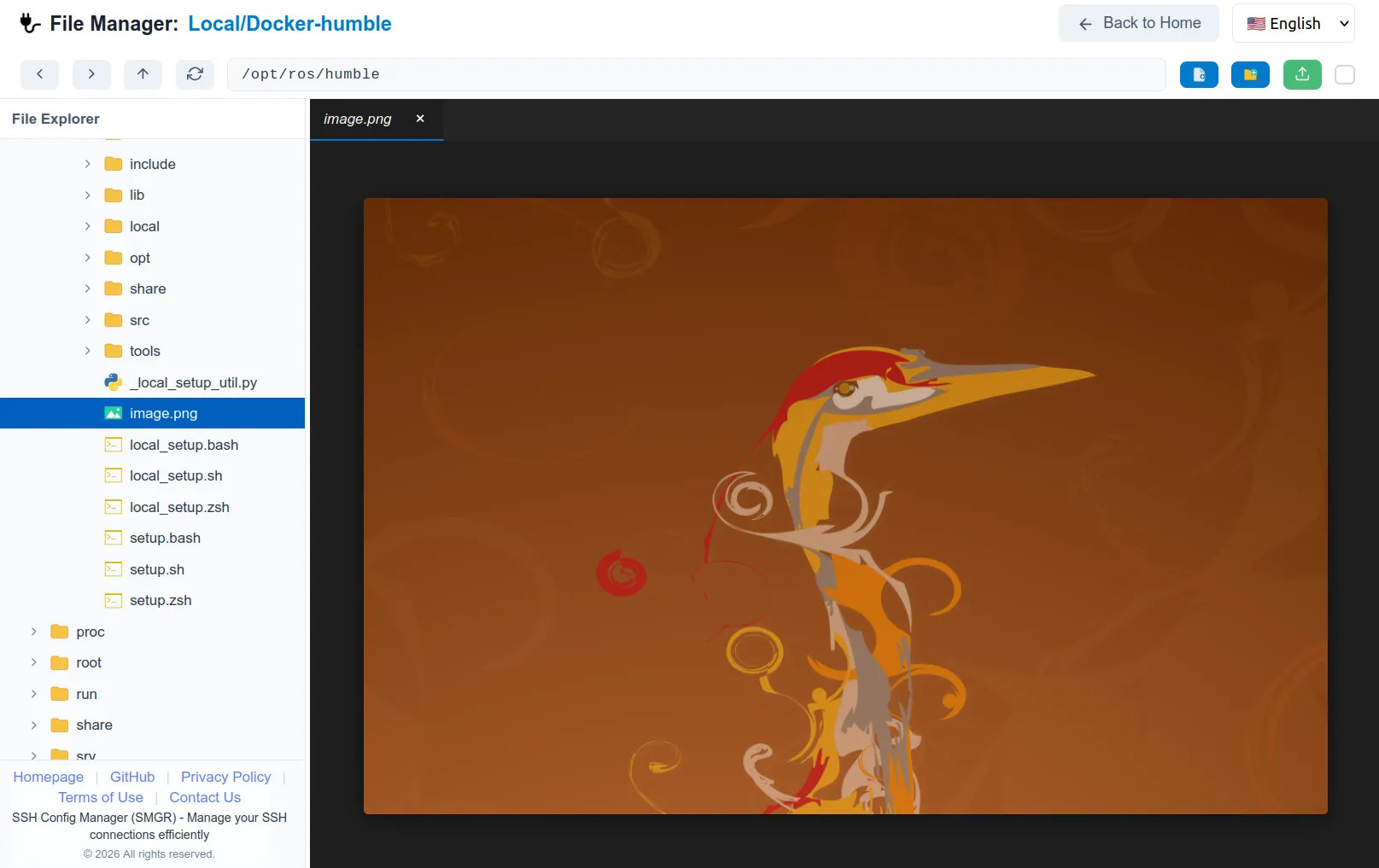
🗂️ Enhanced File Icons
Files and folders now display distinctive, color-coded icons based on their type. Programming languages, configuration files, images, archives, and documents each have unique visual identifiers, making it easier to scan directories at a glance.
🪟 Custom Modal Dialogs
Native browser confirm() and prompt() dialogs have been replaced with custom-designed modal windows for delete confirmations, rename operations, and new file/folder creation. These modals provide a consistent look and feel, support keyboard shortcuts (Enter to confirm, Escape to cancel), and eliminate the annoying “prevent this page from creating additional dialogs” browser warnings.
🔧 Other Improvements
- Tab drag-and-drop reordering in the file editor
- Right-click context menu with smart “New File” and “New Folder” options
- Audit logging for all file operations on the backend
- Improved error handling and connection resilience
🚀 Download
Visit GitHub Releases page to download v1.2.0 for Windows, Linux, or macOS.
Thank you for your continued support and feedback!