v1.1.0 Released: File Manager - Upload & Download Files to Remote Servers
SSH Config Manager v1.1.0 is now available. This update brings a built-in file manager to your SSH sessions, allowing you to browse, upload, download, and manage remote files directly within the application. No need to switch between terminal tabs or launch a separate SFTP client.
What’s New
File Manager (SFTP)
The file manager integrates directly into your existing SSH connections. Once connected to a remote host, you can now access the file system through a visual interface.
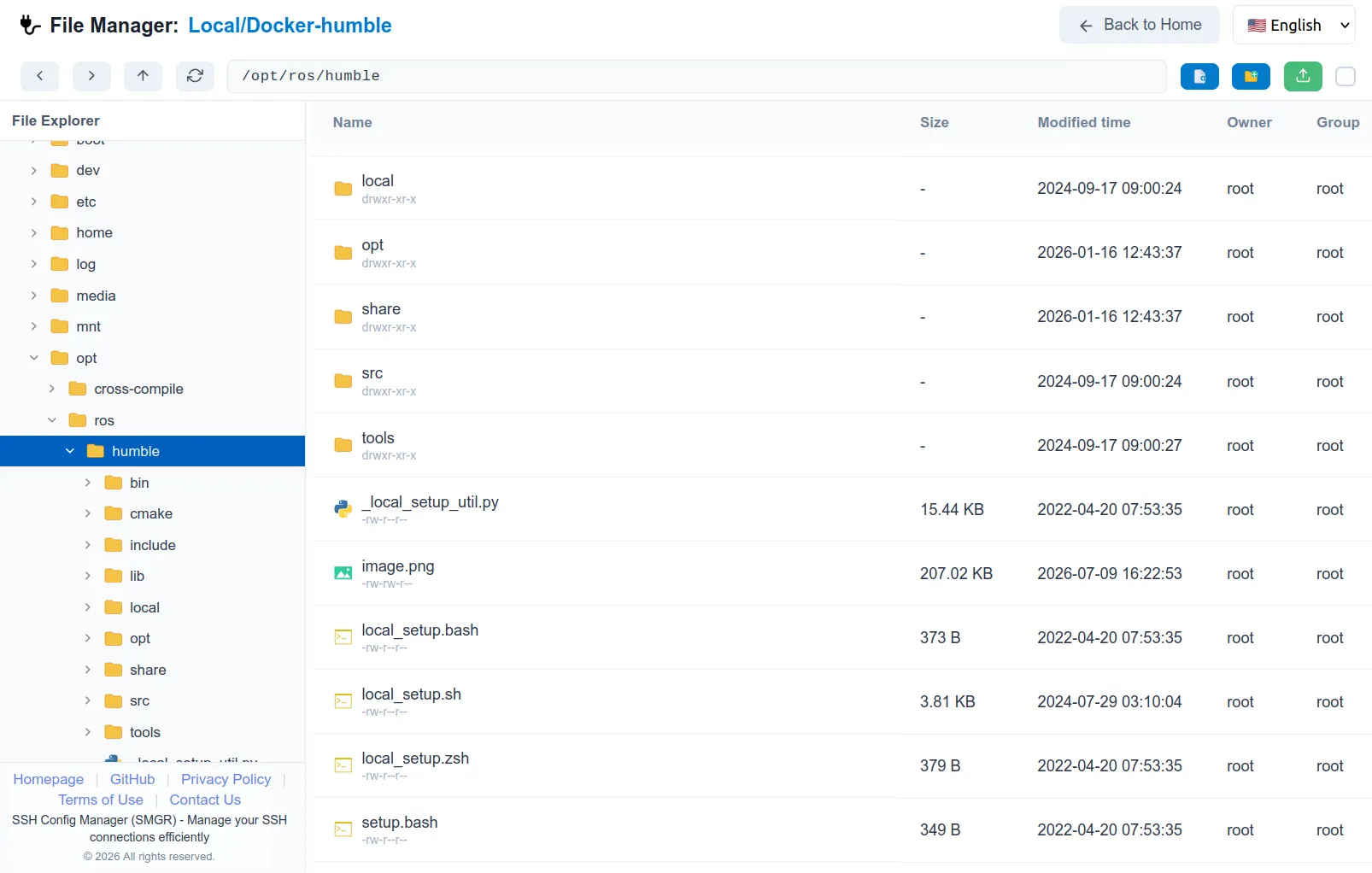
- Upload and download files and folders with drag-and-drop support, or click to browse local files
- Rename and delete files or folders directly on the remote host
- Create directories to organize your remote file system
- File metadata display shows owner, group, permission, modification date, and file size
- Toggle hidden files visibility with a single click, making it easy to manage dotfiles like
.bashrcor.env
Other New Features
- Auto-close old browser tabs: only the latest tab stays open, reducing clutter when you reconnect frequently
- Copy SSH connection: duplicate an existing connection within the same group, so you can quickly create a variation without filling in every field from scratch
- Open local terminal: launch your system terminal directly from the app for quick local tasks
Fixes
- SSH connection test for hosts with
RemoteCommand: the connection test no longer hangs or fails when the remote host uses aRemoteCommanddirective - Terminal selector width: the dropdown no longer overflows or truncates on narrow screens
Updates & Polish
- Footer: now includes links to Privacy Policy, Terms of Use, Contact, and the GitHub repository
- Favicon: unified favicon across all pages for consistent branding
- Homepage: refreshed design and content layout
Why This Matters
Before v1.1.0, you could manage SSH connections and launch terminals, but transferring files meant opening a separate SFTP tool or running scp commands manually. Now you can do everything in one place, which is especially useful when you are rapidly iterating on config files or deploying small assets to remote servers.
The local terminal launcher and connection copy feature further streamline your workflow, making SSH Config Manager a more complete daily driver for remote server management.
Feedback
This release was shaped by user feedback. If you have ideas for future improvements, share them on the GitHub repository.