Solution to SWUpdate Status Reporting Problem After Download and Installation in SWUpdate+hawkBit OTA?
This page introduces my product: Solution to SWUpdate Status Reporting Problem After Download and Installation in SWUpdate+hawkBit OTA? Find it here:
This product provides a solution to the following problem. I promise that this is actually verified and works by me; in fact, I spent a week solving this problem. However, please carefully read the problem symptom description below and confirm before purchasing that it is the same as the problem you are currently trying to solve. By continuing with the purchase, you agree that, due to differences in hardware and system environment, software versions, and configuration parameters, this solution may not solve your specific problem. Due to the special nature of digital goods, refunds are no longer accepted after the file is downloaded.
Problem Symptoms Description
-
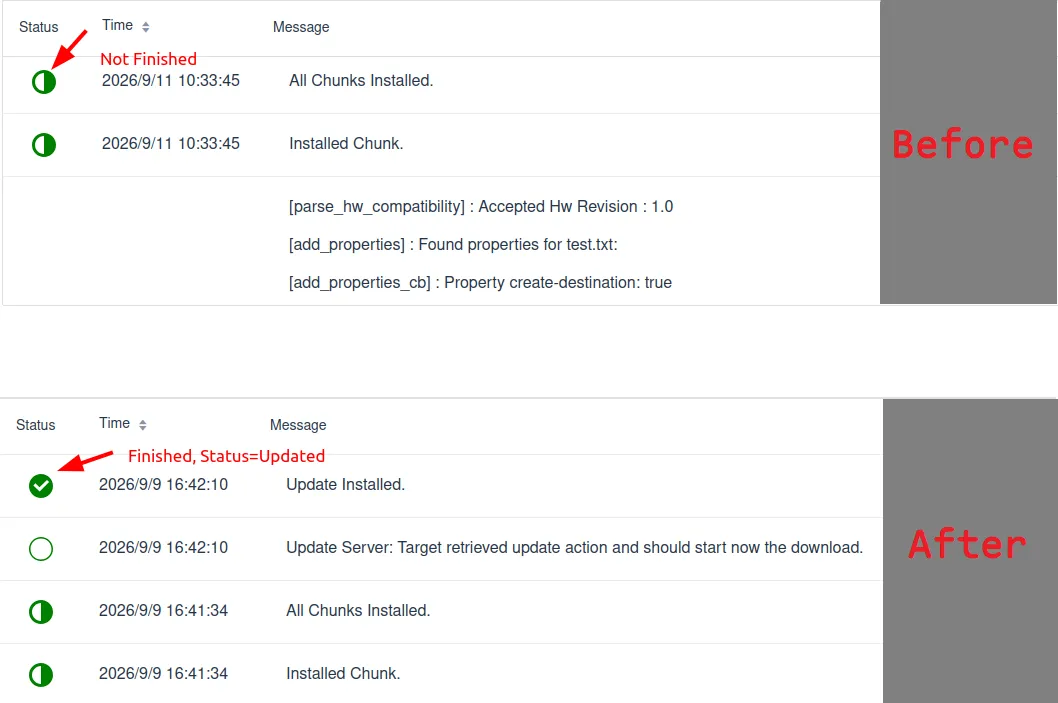
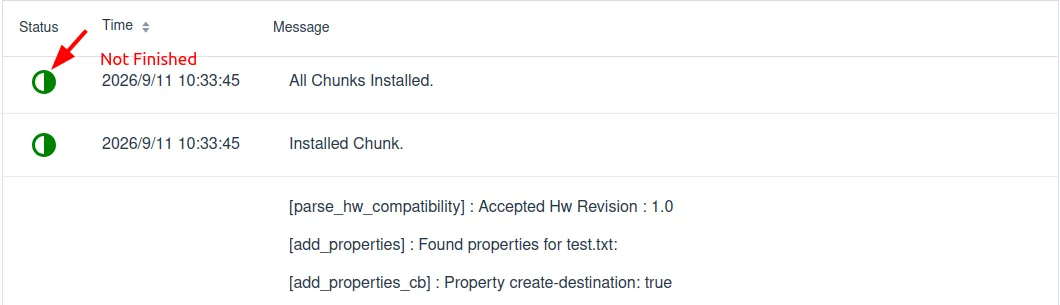
After creating a Software module and distribution set on the hawkBit server and Assigning them to the target device Target, the SWUpdate client on the target device successfully received this OTA upgrade signal, downloaded and installed it to the specified location, and successfully executed the postinstall script. see image 2.
-
But the problem is: ① The server did not receive feedback that the client upgrade was complete, and the hawkBit update progress is still Pending Update, and has not changed to Updated. ② The client SWUpdate repeatedly reports a warning saying pending testing, ignores other updates, and requires restarting SWUpdate to report the test result. The log is as follows:
[TRACE] : SWUPDATE running :  [server_get_deployment_info] : Associated Action ID for Update Action is 21
[TRACE] : SWUPDATE running :  [do_get_state] : Read state=1 from persistent storage.
[WARN ] : SWUPDATE running :  [server_has_pending_action] : An already installed update is pending testing, ignoring available update action.
[INFO ] : SWUPDATE running :  [server_has_pending_action] : Please restart SWUpdate to report the test results upstream.
However, after rerunning SWUpdate, this warning is still reported, and restarting the system does not help either.
-
Software versions & system environment
- hawkBit: 1.1.0
- SWUpdate: 2024.04.1, 2026.05.1 both have this problem
- The Target device system is Ubuntu Linux, using grub boot.
Cause & Solution
Pay and download the pdf to checkout the cause and corresponding solution to the problem.
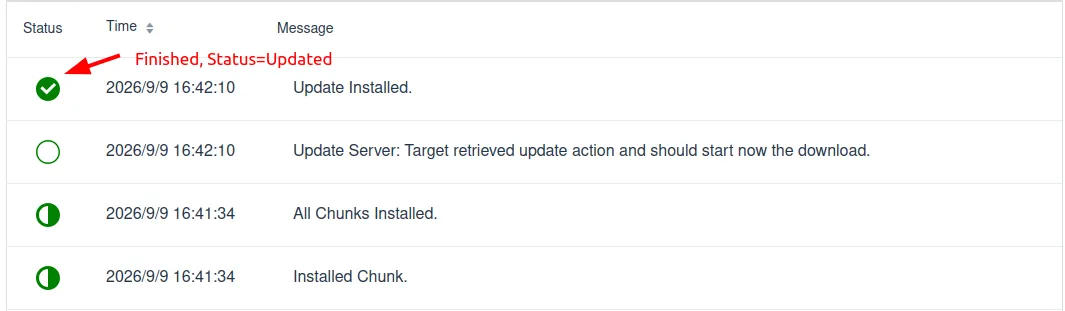
After the problem resolved, hawkBit server should receive OTA conclusion and turn status into Updated after SWUpdate download and install, see image 3.